Hand off a task
This page runs Claude Code on a task in the background (a prompt run, or task), returns your terminal, and shows how to check the result.
-
Push your branch, then hand off the task from your repo.
Terminal window cd ~/src/my-repogit pushdroneship run claude -p "fix the flaky test in tests/test_api.py" -d<id> started: Claude Code on https://github.com/you/my-repo @ maindroneship logs -f <id>A task bills your own API key or your Claude Pro/Max plan, and nobody signs in inside the sandbox. Export
ANTHROPIC_API_KEYfirst. For your plan, runclaude setup-tokenand export the token it prints asCLAUDE_CODE_OAUTH_TOKEN. The CLI sends either with no flag.-dreturns as soon as the sandbox starts. Without it, the CLI streams the agent’s output and exits with its exit code. Ctrl-C then detaches without stopping the run. -
Get notified when it finishes.
Terminal window droneship watchWatching your sandboxes every 20s — Ctrl-C to stop.Leave it running in another terminal. It sends a desktop notification when a task finishes (
Task done · <id>, with its pull request), stops to ask for something (Task blocked · <id>) or fails (Task failed · <id>), and when an interactive Claude session is waiting on you (Claude is waiting for you · <id>). It reports only changes after it starts, not the state it finds when it starts. -
Follow its output, or read it afterwards.
Terminal window droneship logs -f <id>The log shows one row per action (a command, a file read or written, a tool call) with its outcome, Claude’s messages between them, and an
endrow that readsdoneorfailed.-fkeeps streaming while the agent runs and exits with the agent’s exit code, so it works in a script. Without-fit prints what’s there now. -
See how all your tasks went.
Terminal window droneship list -aEach task’s Status reads
running,done,done · PR #<n>,blockedorfailed (exit <code>). Its Summary is the pull request it opened, the reason it’s blocked, or the first line of its reply. Under the table:Reply to a task, or keep going with it: droneship resume claude <id> -
Reply to it, or continue the work yourself.
Terminal window droneship resume claude <id>This restores the stopped sandbox from its snapshot and opens Claude in the same conversation. Pick up where it left off has the details.
What you’ll see in the console
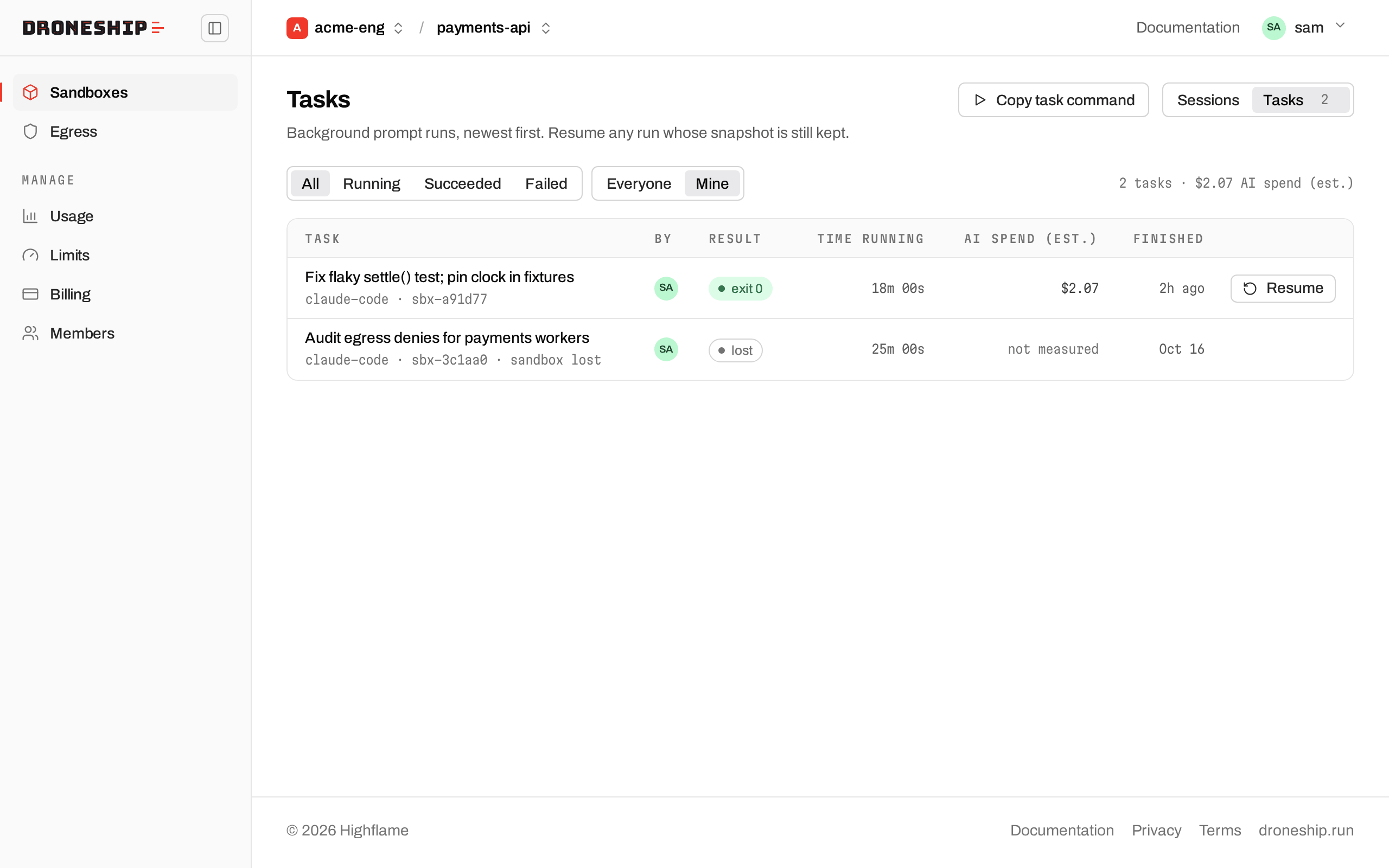
Section titled “What you’ll see in the console”On your project’s Sandboxes page, switch from Sessions to Tasks. The Tasks page lists background prompt runs, newest first, with each task’s result, time running, estimated AI spend and when it finished. Filter by All, Running, Succeeded or Failed. Click a task to open its Logs tab, which streams while the task runs. A task whose snapshot is still kept has a Resume button.
How it works
Section titled “How it works”A task runs unattended, so Claude is instructed not to stop and ask questions. It works through the task, runs the project’s tests, and ends with a short summary. If it can’t continue, its last line is BLOCKED: <what it needs>, which is what list -a and watch report.
When you’ve connected GitHub, Claude finishes a task that changed the repo by creating a branch, committing, pushing, and opening a pull request against the branch you started from (or the default branch). By default the push and the pull request go through a sidecar, outside the sandbox, that holds a GitHub token scoped to this one repo, so the token isn’t in the agent’s environment. Without a GitHub connection, it commits on a branch and names it in its summary. To get that work, resume the task and droneship pull it (Review and land). Work on a private repo covers connecting.
The sandbox stops when the agent finishes. A stopped task stays in droneship list -a for 7 days. droneship kill <id> deletes it and its snapshot sooner.
More: Prompt run, Background runs and logs, droneship watch, droneship logs.
- Run several agents in parallel: hand off more than one task at once.
- Review and land the agent’s work: bring a branch home.
- Pick up where it left off: continue a task’s conversation.